
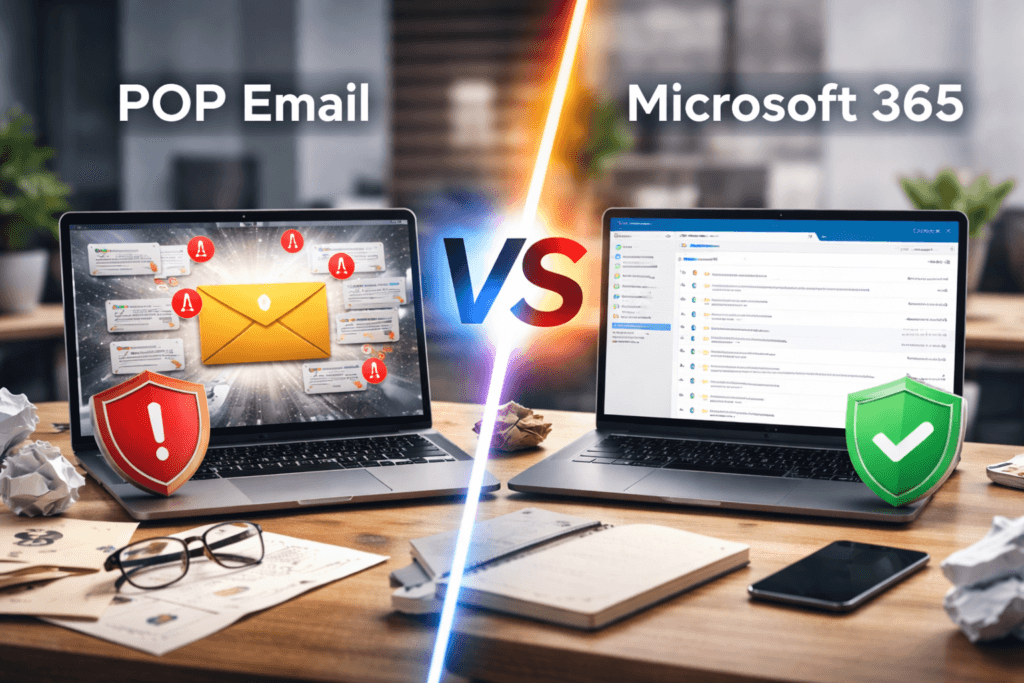
Most small businesses set up email through their web host and never look back. But that free or cheap POP email account could be putting your data, your reputation, and your productivity at risk. Here's the honest apples-to-apples comparison between web host POP email and Microsoft Exchange Online — the standalone business email platform from Microsoft.
When you sign up for web hosting, email almost always comes included. It seems like an obvious choice — your domain, your hosting, and your email all in one place for one low price. So why would you pay extra for something you already have?
The answer is that free web host email and reliable, professional, business-grade email are two very different things. In this post we're doing a straight apples-to-apples comparison: the POP email that comes bundled with your web hosting versus Microsoft Exchange Online — Microsoft's standalone cloud email platform built specifically for business.
What Is POP Email?
POP stands for Post Office Protocol. It's one of the oldest email protocols still in use today, standardized back in 1988.[1] When you check your email using POP, your email client — Outlook, Apple Mail, or similar — connects to your web host's server, downloads your messages to your device, and typically removes them from the server.
That one behavior is at the root of nearly every problem businesses run into with POP email. Once messages are downloaded to a single device, they effectively exist in only one place — and that place is entirely dependent on that device staying healthy.
If your laptop is stolen, dies, or gets wiped, your entire email history goes with it. POP accounts do not store email in the cloud — your device is the only copy.
What Is Microsoft Exchange Online?
Microsoft Exchange Online is Microsoft's cloud-based business email platform — the same email engine that has powered enterprise communications for decades, now available as a standalone subscription for businesses of any size.[2]
Unlike POP, Exchange Online stores all your email, calendar entries, and contacts on Microsoft's secure servers in the cloud. Every device you use — your phone, tablet, laptop, and desktop — stays perfectly synchronized at all times. Read an email on your phone, and it shows as read on your laptop. Accept a meeting invite on your desktop, and it appears on your phone calendar instantly.
Exchange Online Plan 1 is the entry-level standalone plan, designed specifically for businesses that need professional email without a full productivity suite. It includes a 50GB mailbox per user, shared calendars, shared contacts, advanced spam and phishing protection, and full Outlook access across all devices.[3]
POP Email vs Exchange Online: Side by Side
This is the direct, feature-for-feature comparison between the POP email bundled with most web hosting plans and Microsoft Exchange Online Plan 1.
| Feature | POP Email (Web Host) | Exchange Online Plan 1 |
|---|---|---|
| Email syncs across all devices | ✗ No | ✓ Yes — fully synced |
| Email stored in the cloud | ✗ No — stored on device | ✓ Yes — 50GB mailbox |
| Email survives device failure | ✗ No | ✓ Yes |
| Shared calendars | ✗ No | ✓ Yes |
| Shared contacts / global address list | ✗ No | ✓ Yes |
| Multi-factor authentication (MFA) | ✗ No | ✓ Yes |
| Advanced spam & phishing protection | ⚠ Basic only | ✓ Enterprise-grade |
| Works if web host goes down | ✗ No — tied together | ✓ Yes — fully independent |
| Full Outlook access (web, mobile, desktop) | ⚠ Desktop only via POP | ✓ All platforms, fully synced |
| Supported by new Outlook (2024+) | ✗ No — POP being dropped | ✓ Yes — native support |
| Monthly cost (per user) | ~$0–5 (bundled w/ hosting) | From $4.80/mo via Twilight I.T. |
* Exchange Online pricing reflects Twilight I.T. partner pricing as of April 2026 and is subject to change. Web host email costs vary by provider and plan. Microsoft's retail MSRP for Exchange Online Plan 1 is $4/user/month billed annually — pricing through Twilight I.T. may differ. Always contact us for a current quote.
The Real Problems With POP Email for Business
POP email can work fine for a single person checking messages on one computer at home. But for any business that operates across multiple devices, has more than one employee, or relies on email for daily operations, it creates serious and avoidable problems.
- No sync across devices — emails read on your phone won't show as read on your laptop. Sent items, drafts, and folders don't sync between devices at all
- Your email history is at risk — because messages live on your device rather than the cloud, a hardware failure, theft, or accidental wipe means permanent data loss
- Email and web hosting share a single point of failure — if your web server goes down for maintenance or an outage, your email goes down with it[1]
- No shared calendars or contacts — POP has no support for shared calendars, company-wide contact lists, or any team collaboration features
- Weak security — most web host POP accounts lack multi-factor authentication and advanced threat protection, making them a common target for phishing attacks
- Microsoft is moving away from POP — the new Outlook for Windows dropped POP3 support in early 2024, and Microsoft has confirmed there are no plans to bring it back[4]
Microsoft has officially stated: "There are no plans for Outlook to support OAuth for POP and IMAP." The new Outlook — which is replacing legacy Mail and Calendar apps on Windows — does not support POP accounts at all.[4] If you're currently using POP email with Outlook, this is a problem that's only going to get harder to ignore.
Is There Ever a Case for Keeping POP Email?
To be fair — yes, in very limited situations. POP email does have a couple of legitimate use cases:
- Solo users on a single device — a one-person operation that checks email exclusively on one computer and has no need for mobile access or collaboration features may find POP adequate
- Dedicated form submission inboxes — some businesses keep a separate POP mailbox purely to receive website contact form notifications, separate from their main business email
For any business with more than one employee, multiple devices, or real dependence on email as a communication tool — the limitations of POP far outweigh the cost savings.
Why Twilight I.T. Recommends Exchange Online
We've migrated a lot of clients off web host POP email and onto Exchange Online, and the feedback is always the same: they wish they'd made the switch sooner. Here's why we recommend it:
- Your email data is safe — everything lives in Microsoft's cloud, not on a single device that can be lost, stolen, or fail without warning
- Everything stays in sync — send from your phone, see it on your laptop. Your inbox, sent items, drafts, calendar, and contacts are identical everywhere
- Email is independent of your website — a hosting outage won't touch your email. They run on completely separate infrastructure
- Security is enterprise-grade — MFA, advanced anti-phishing, and spam filtering come standard with Exchange Online[2]
- It's purpose-built for business email — Exchange Online is not a bundled afterthought. It's Microsoft's dedicated business email platform used by organizations of every size worldwide
- The cost is genuinely reasonable — for business-grade email with 50GB of cloud storage per user, the price through Twilight I.T. starts at $4.80/user/month
You don't have to give up your existing email address to switch. We handle the migration — your address stays exactly the same, and we move your existing emails over so you don't lose any history.
Frequently Asked Questions
Both POP and IMAP are protocols for retrieving email from a server. POP downloads messages to your device and removes them from the server, so your email only exists on that one device. IMAP keeps messages on the server and syncs them across your devices, which is a meaningful improvement over POP. However, IMAP still lacks the full business features that Exchange Online provides — shared calendars, a global company address book, advanced security, and true enterprise-grade reliability.
Yes, absolutely. Your email address is tied to your domain name, not your email provider. When we set you up on Exchange Online, we update your domain's DNS records to point to Microsoft's servers. Your address stays exactly the same — and we migrate your existing emails over so your history comes with you.
Exchange Online Plan 1 includes a 50GB cloud mailbox per user, full Outlook access across web, mobile, and desktop, shared calendars, a shared company contacts list, advanced spam and phishing protection, and multi-factor authentication. It is email-focused — it does not include the Office desktop apps like Word or Excel. If you need those, we can discuss upgrading to a Microsoft 365 Business plan instead.
With POP or IMAP email on your web server, a hosting outage takes your email down too — both incoming and outgoing. With Exchange Online, your email runs on Microsoft's completely separate global infrastructure. A web hosting outage has zero impact on your email. This alone is a strong reason to separate your email from your web hosting provider.
Yes — and significantly more so than web host POP email. Exchange Online includes multi-factor authentication, Microsoft Defender-backed anti-phishing and spam filtering, encrypted connections, and Microsoft's enterprise-level uptime guarantee. For a small business handling client communications, financial information, or any sensitive data, this is a dramatically stronger security posture than what a typical web host email account provides.
Ready to Upgrade Your Business Email?
Twilight I.T. can set up Microsoft Exchange Online for your business, migrate your existing email, and configure everything correctly across all your devices — so you never have to worry about losing an email again.
Contact Twilight I.T. TodayTerms Explained
Not a tech person? No problem. Here's what these concepts actually mean in plain English.
References & Sources
- [1] Excellimore — POP3 and IMAP Email vs Office 365
- [2] Zapier — The 5 Best Email Hosting Services for Business
- [3] ExchangeMVP — Exchange Online Plan 1 vs Plan 2
- [4] Microsoft Learn — POP3 for Microsoft 365 Business Account
- [5] Email Analytics — Microsoft Outlook vs Exchange: What Are the Differences?
- [6] O365 Cloud Experts — Compare Microsoft Exchange Online Plans